A Guide to Using a Free Icon Generator Online
Discover how a free icon generator online can transform your design process. Learn to create custom, high-quality icons that elevate your brand and projects.
Ever found yourself staring at a design, knowing you need the perfect icon but dreading the thought of either digging through endless stock libraries or firing up complex design software? A free icon generator online is the answer. These tools aren't just a shortcut; they're a powerful way to create visuals that are perfectly aligned with your brand, and they can do it in minutes.
Why Icon Generators Are a Designer's Secret Weapon
Think of an icon generator as your own personal design assistant, ready to whip up high-quality graphics whenever you need them. For a long time, getting custom icons was a real pain point for everyone from designers to marketers. The whole process was slow, often expensive, and demanded serious skills in tools like Adobe Illustrator.
Need a small tweak to an existing icon or a new one that matches your current set? You were right back at the beginning, sinking more time and money into it.
This is where a free icon generator completely flips the script. It makes design accessible by putting powerful, easy-to-use tools into anyone's hands. Suddenly, you don't have to be a vector wizard to bring the exact icon you're imagining to life.
Bridging the Gap Between Vision and Reality
The most obvious win here is speed. A task that might tie up a designer for hours can now be done with a few clicks or a simple text description. For anyone working against a tight deadline, that kind of rapid turnaround is a lifesaver.
Then there's the issue of consistency, which is crucial for any professional-looking user interface or brand identity. Icon generators make it incredibly simple to apply a consistent style, color scheme, and line thickness across an entire set of icons. The result? A polished, cohesive look every time.
The real power of an icon generator isn't just making icons; it's eliminating creative friction. It allows you to stay in your workflow and instantly translate an idea into a usable visual asset.
For startups, small businesses, or solo creators, the financial benefit is huge. Custom icon sets can cost a pretty penny, and hiring a freelance designer for bespoke work adds up fast. A free icon generator online gives you access to professional-quality assets without the budget hit, which really helps level the playing field.
Key Benefits at a Glance
So, what's the bottom line?
- Speed and Efficiency: Go from idea to finished icon in minutes, not hours. This gets your projects out the door much faster.
- Brand Consistency: Effortlessly create a unified set of icons that look like they belong together and match your brand's style.
- Cost-Effectiveness: Get the custom icons you need without paying for pricey software licenses or freelance contracts.
- Creative Freedom: Quickly test out different styles and concepts without a huge time investment, letting you find the best possible design.
Using one of these tools gives you a real advantage. You can deliver better-looking, more professional projects faster and for a fraction of the cost.
How Do Online Icon Generators Actually Work?
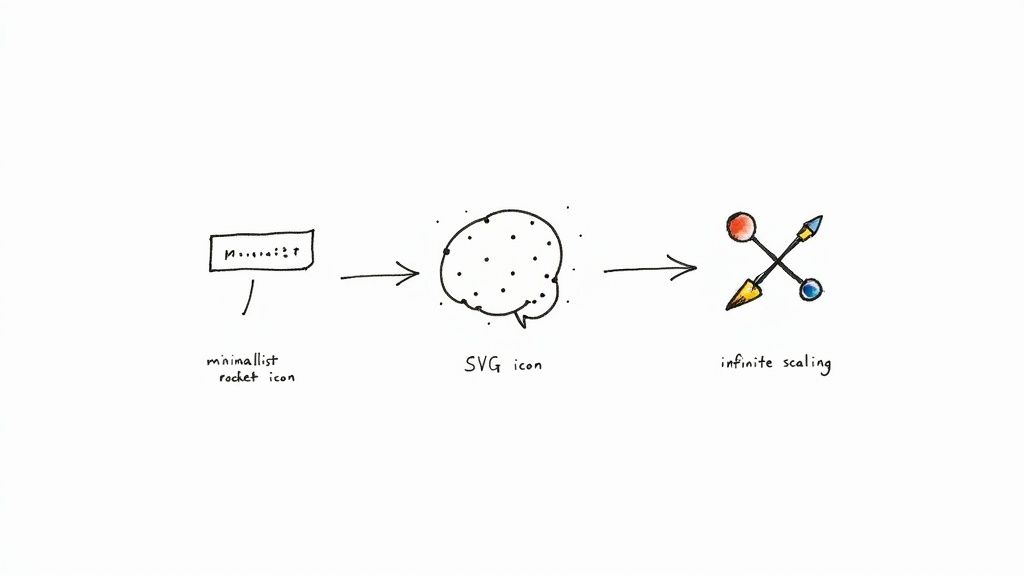
Think of a basic icon generator as a digital workshop for your visuals. It’s a toolkit packed with pre-made designs you can tweak. You might pick a template, switch up the colors, thicken some lines, and maybe swap out a few elements to get it closer to what you need. It's a solid, straightforward way to get a semi-custom icon without having to start from a blank canvas.
But the real breakthrough comes from AI-powered generators. These are less like a template editor and more like a creative partner you can brainstorm with. They’re built on complex algorithms trained on millions of images, which helps them grasp visual concepts, artistic styles, and even abstract ideas. This means you can create a completely new design from the ground up, just by describing it.
When you use a free icon generator online that has AI under the hood, you’re not just tweaking a file—you’re telling it your vision. A simple text prompt like "a minimalist rocket ship icon for a startup" is all the AI needs to understand your request and produce a unique, original graphic.
The Power of Text-to-Icon Technology
This whole process, often called text-to-icon generation, is pretty clever. The AI breaks down your written prompt into its core components—the subject, the style, the mood—and uses those pieces to guide what it creates.
Let's look at a couple of examples:
- Prompt: "A friendly robot mascot waving, cartoon style"
- Here, the AI knows to focus on a non-threatening character. It will likely use rounded shapes, a dynamic pose, and a classic cartoon feel to bring your idea to life.
- Prompt: "A sleek, geometric icon of a shield for a security app"
- For this one, the AI would lean into sharp lines, symmetrical forms, and a clean design to communicate a sense of strength and professionalism.
This ability to interpret and create goes way beyond simple customization. It gives you the power to dream up icons that are truly one-of-a-kind, even if you don't have a lick of design experience.
Why Vector Formats Like SVG Are a Game-Changer
One of the most important technical details to understand is the file format, and this is where Scalable Vector Graphics (SVG) come in. Unlike pixel-based formats like PNG or JPG, which get blurry and pixelated when you resize them, SVGs are built with math. This means you can scale them to any size—from a tiny app button to a massive billboard—and they will always stay perfectly sharp.
You really can't overstate how crucial this is, especially for modern web design. The popularity of icon generators is directly linked to how widely SVG has been adopted. It’s now a standard, with huge adoption rates in popular frameworks like React (94%), Vue.js (89%), and Next.js (96%), all backed by great tooling.
This trend is also driving the demand for generators that can produce lightweight, scalable SVG icons, which have been shown to make a real difference. In fact, e-commerce sites using SVG icons for products see 2.3 times higher user interaction than sites with traditional images. You can dive deeper into SVG's industry impact in the 2025 report.
The core benefit of an SVG is its infinite scalability. An icon exported in this format is future-proof, ensuring it looks crisp and professional on any screen, now and in the future.
How AI Is Changing the Game for Custom Icon Creation
Artificial intelligence isn't just a buzzword in the design world; it’s fundamentally changing how we create custom icons. Think of it less like a tool and more like a creative partner, one that makes high-quality design accessible to everyone, no matter their artistic skill. It’s like having a design expert on standby, ready to turn your ideas into visuals in a snap.
These AI models are built on massive libraries of images, learning everything from artistic styles to abstract concepts. The result? A remarkably intelligent system that can take a simple text description and spit out a unique, polished icon that nails the concept.
From Simple Prompts to Stunning Visuals
The whole process feels almost magical. You don't need to know how to use complex design software—you just need to describe what you see in your head. It’s the equivalent of hiring an artist who instantly gets what you’re going for, every single time.
This is a massive win for projects that move fast. You can test out a dozen different visual concepts without losing hours to manual design work. Curious what a "futuristic data analytics" icon might look like in three different styles? An AI-powered free icon generator online can create them for you in seconds. You can learn how to generate icons online with just a few prompts, completely streamlining the creative workflow.
The financial numbers back this up, too. The market for AI design tools is booming, driven by startups and small businesses needing affordable branding. The AI logo generator market alone was valued at $0.48 billion in 2024 and is expected to climb to $1.35 billion by 2029. That’s a 22.7% compound annual growth rate, which points to a huge shift toward automated, easy-to-use design tools. You can find more details in this report on the growth of AI in creative design.
This chart from Research and Markets shows just how fast the AI logo generator market is projected to grow.
That steep curve isn't just a random projection; it reflects real confidence that these tools are becoming a go-to for businesses needing branding assets without the traditional bottlenecks.
Unlocking True Creative Freedom
The ability to generate endless unique visuals is huge for brand consistency. Every single icon can be tweaked to perfectly align with your brand’s specific color palette, style, and overall vibe. You’re essentially getting professional-grade assets without the professional-grade price tag.
AI doesn't just make icon creation faster; it makes it more accessible. It removes the technical barriers, allowing anyone to translate a clear idea into a polished visual asset.
For developers, marketers, and entrepreneurs working with tight budgets and even tighter deadlines, this is a lifesaver. Being able to produce a full, cohesive set of icons for a new app, website, or marketing campaign means teams can keep their quality high without blowing their budget or timeline.
Choosing the Right Free Icon Generator for Your Needs
With a ton of tools out there, picking the best free icon generator online can feel a bit overwhelming. It's easy to get lost. But if you know what to look for, you can quickly find the perfect one for your project.
Think of it this way: you wouldn't use a professional video editing suite just to crop a photo. The same logic applies here. Your goal is to find a generator that lines up with your creative vision, technical needs, and—just as importantly—your usage rights.
Evaluate Key Generator Features
Before you dive into any one tool, it’s smart to have a quick checklist handy. Running through these key features will help you tell the difference between a genuinely useful generator and one that’s just going to cause headaches.
- Variety of Styles: Does the tool offer a good mix of aesthetics? You want to see everything from minimalist line art to colorful, detailed 3D designs. The more variety, the better your chances of matching your brand’s look and feel.
- Customization Depth: How much can you actually tweak? Look for the ability to get specific with colors (using hex codes is a must), adjust stroke weight, and even change individual parts of an icon.
- Export Formats: This is a big one. For any professional work, the ability to download in SVG is non-negotiable. Vector formats like SVG mean your icons stay crisp and clean no matter how big or small you make them. It's also great to see PNG as an option for things like presentations or social media posts.
- Ease of Use: Is the interface intuitive? You should be able to jump in and create your first icon in just a few minutes without needing to sit through a long tutorial.
This simple flowchart can help you decide if a free generator is the right move, especially depending on your current design skills.
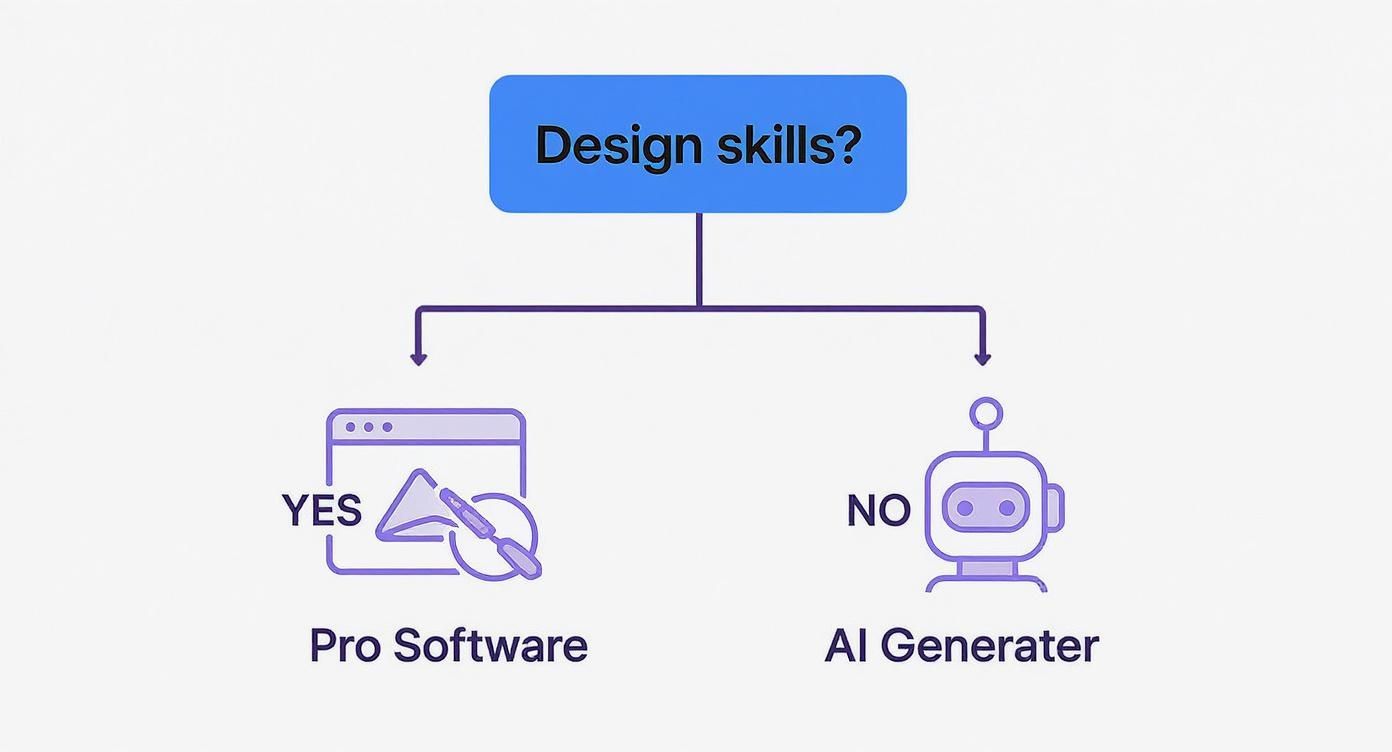
As you can see, for anyone who isn't already a pro with software like Adobe Illustrator, an AI-powered generator is often the fastest and most efficient way to get high-quality custom icons.
Don't Overlook the Licensing Terms
This might be the most important step of all. An icon isn't really "free" if you can't use it the way you need to. Before you hit that download button, find the tool’s licensing page and look for explicit permission for commercial use.
Lots of generators will let you use their icons for personal projects for free but require a paid subscription or attribution if you're using them for business. Always, always double-check the license to avoid any legal trouble later on.
Spending a couple of extra minutes on this upfront can save you a world of hassle. It ensures the tool you pick not only meets your creative needs but also keeps your project compliant and protected.
A Step-by-Step Guide to Creating Your First Icon
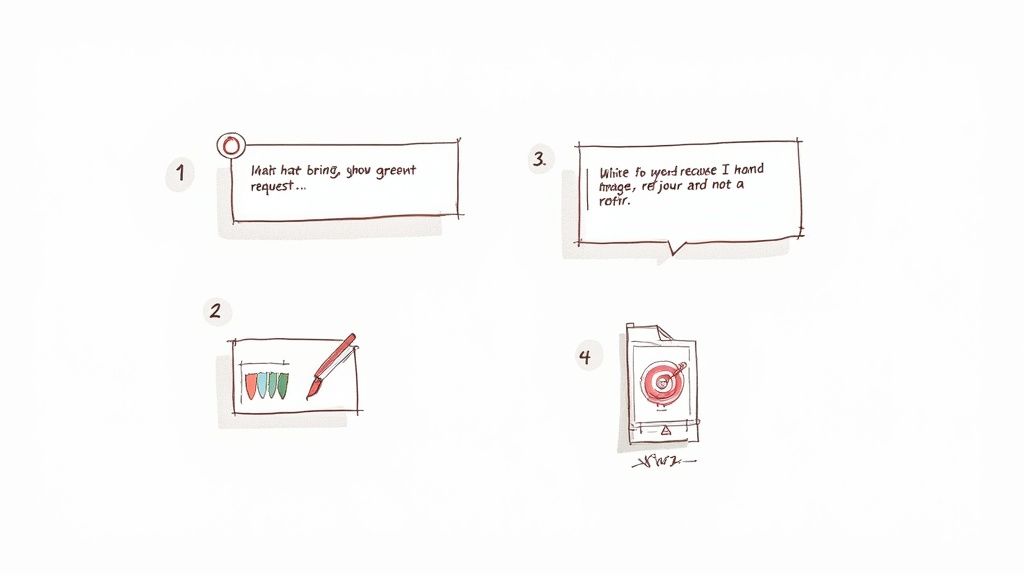
Alright, let's move from theory to actually making something. This is where the fun begins. Using a free icon generator online is surprisingly simple, but a little structure goes a long way in getting professional-looking results right off the bat.
Think of it as a simple, four-step recipe for creating the perfect visual. I'll walk you through each stage, from the initial spark of an idea to downloading the final file. Once you get these steps down, you'll be able to turn any concept into a polished, usable icon with confidence.
Stage 1: Define Your Icon’s Purpose
Before you even think about opening a generator, stop and ask yourself one critical question: What does this icon do? What job does it have? Who is going to be looking at it?
An icon for a "Settings" button in a serious business application needs to communicate reliability and function. On the other hand, a "Like" icon for a gaming app should probably feel more fun and expressive. Getting this clear from the start is the most important thing you can do. It will guide every other decision you make, from the style to the colors.
Stage 2: Write an Effective Text Prompt
Now that you know what you need, it's time to tell the AI. Writing a good prompt is a bit of an art, but it's one you can pick up quickly. The secret is to be specific and descriptive. Don't just type "car icon."
Instead, try something with more flavor, like "a minimalist line art icon of a classic sports car, side view." See the difference? You're giving the AI much better instructions.
Here’s a simple formula I use to build a powerful prompt:
- Subject: Start with the main object. (e.g., a magnifying glass)
- Style: What aesthetic are you going for? (e.g., flat design, 3D render, cartoonish)
- Details: Add any unique elements. (e.g., with a plus sign inside)
The more detail you feed the AI, the closer it will get to what you're imagining on the very first try.
Stage 3: Refine the Generated Results
Let's be real—no AI is a mind reader. Your first result might be close, but it’ll probably need a few tweaks. This is where you step in as the art director. Most online icon generators give you tools to play with colors, adjust the thickness of lines, or even ask for slight variations based on your original prompt.
The goal here is simple: close the gap between what the AI made and what you actually want. Don't be afraid to experiment until the icon feels just right.
This back-and-forth process is quick and painless. It lets you fine-tune the little things without having to start over from scratch. Some tools even let you upload an existing picture to get started. If that sounds interesting, you can learn more about how to create an icon from an image in our detailed guide on the topic.
Stage 4: Export in the Right Format
You've nailed it. The icon looks perfect. The final step is to save it in a format that works for your project, and this choice really matters.
Here are the two you'll use most often:
- SVG (Scalable Vector Graphics): This is your go-to for pretty much anything digital—websites, apps, you name it. SVGs are vectors, which means you can scale them to any size, from a tiny favicon to a giant billboard, and they will always look perfectly crisp. No quality loss.
- PNG (Portable Network Graphics): This is a great choice when you need a transparent background for something like a presentation or a document but don't need the icon to scale up and down.
By following these four steps, you can get the most out of any free icon generator online. You'll be creating custom, high-quality visuals that make your projects look that much better.
Putting Your Custom Icons to Work
So, you've created a set of custom icons. Now what? The real magic happens when you put them to work. Great icons are more than just pretty pictures; they're functional assets that get you tangible results. When you move past the design stage, you start to see how a free icon generator online really strengthens your digital presence and makes life easier for your users.
These tools have incredibly practical, high-impact uses across all sorts of platforms. Think about your website—you can develop a unique icon set for your key features, creating a clear visual language that guides visitors intuitively. That kind of consistency is a massive factor in building user trust and keeping people engaged.
The same principle applies to mobile apps. Designing a cohesive user interface is so much simpler when you have custom icons. Every button and menu item can perfectly match your brand's look and feel, making the whole app feel polished and professional. It’s that kind of attention to detail that can make a huge difference in usability and keep people coming back.
Strengthening Your Brand and Saving Resources
Custom icons are also a secret weapon for social media and marketing. When you create branded visuals for your posts and campaigns, you make your content instantly recognizable in a cluttered feed. This consistent visual identity hammers home your brand’s personality and message every time someone scrolls past.
It's no surprise that the demand for these creative tools is exploding. Just look at the global AI image generator market—a close cousin to icon generation. It was valued at $257.175 million back in 2022 and is projected to soar to nearly $917.448 million by 2030. You can dig into the full market growth analysis from Fortune Business Insights to see the numbers. This trend points to a major shift: design is becoming more automated and accessible for everyone.
The real return on investment comes from connecting your custom icons to tangible business outcomes. Better user engagement, stronger brand recall, and a more professional look all contribute to your bottom line.
By using an online generator, you sidestep the hefty costs and time sinks of custom design work. This frees you up to pour those resources into other critical parts of your business, all while achieving a high-quality, professional look. If you're looking for more ready-made options, check out our guide on where to find free vector icons for download.
A Few Common Questions About Icon Generators
Jumping into the world of a free icon generator online often raises a few questions, especially when it comes to things like usage rights and creative freedom. Let's clear up some of the most common concerns so you can start creating with confidence.
It's completely normal to wonder about who actually owns the icons you generate and what you're allowed to do with them. It’s a smart question, and the answer is usually found in the fine print.
Are Icons from a Free Generator Really Free to Use?
Most of the time, yes—but there are almost always a few strings attached. Many free generators are perfectly fine with you using their icons for personal projects. Where things get tricky is for commercial use, like on your company website or inside a product you sell. In those cases, you might be required to give credit to the tool or even upgrade to a paid subscription.
Before you hit that download button, always hunt down the tool’s licensing page. You're looking for clear language like "Commercial Use Allowed" or a "Creative Commons" license that fits your needs. Taking thirty seconds to check can save you a world of legal trouble down the road.
Honestly, verifying the license is the single most important thing you can do before putting a generated icon into your work. It’s always better to be safe than sorry.
Can I Edit the Icons After I Download Them?
You bet. This is where vector formats really prove their worth. When you download your icon as an SVG file, you're giving yourself the ultimate creative flexibility. Think of an SVG not as a static image, but as a recipe that design software can read and change.
This means you can pop it open in a program like Adobe Illustrator, Figma, or a free tool like Inkscape and start making tweaks. You can easily change colors, resize any part of the icon, or alter its shape—all without ever losing that crisp, pixel-perfect quality.
How Can I Make Sure the Icons Match My Brand?
Keeping your brand looking consistent is crucial, and the secret to doing it with an AI generator is all in the details of your prompt. You have to guide the AI to think like your brand.
- Describe the style: Don't just ask for "a gear icon." Instead, try prompts like "minimalist line art gear icon," "playful 3D rendered gear," or "a gear in a corporate flat design style."
- Specify your brand colors: Many of the better generators have a customization panel. Use it to plug in the exact hex codes from your brand's color palette.
- Keep your prompts consistent: If you're building out a whole set of icons, try to use a similar structure for every prompt. This helps ensure they all share the same visual DNA and look like they were made for each other.
Ready to create stunning, brand-aligned icons in seconds? With VibeIcons, you can generate custom icons that perfectly match your style and export them as clean SVG files or React code. Start creating for free at https://www.vibe-icons.com.