art design patterns: Elevate Your Creative Work
art design patterns reveal how composition shapes classic art and modern UI, unlock practical rules for engaging designs.
Art design patterns are the secret recipes behind visual harmony. Think of them as the proven frameworks that guide a viewer's eye and evoke a specific feeling. They're the unspoken language that makes a composition just feel right, turning chaos into order and intention into impact.
Why Art Design Patterns Are Your Secret Weapon
Ever looked at a painting, a website, or even a well-designed room and felt an immediate sense of calm, excitement, or focus? That’s no accident. What you're experiencing is the work of carefully applied art design patterns—the timeless principles that govern how visual elements are arranged.
These patterns aren't rigid, unbreakable rules. They're more like the rhythm in a song or the structure of a great story. It's the foundation that gives the whole thing coherence and emotional weight. A song without rhythm is just noise, and a story without structure is just a jumble of events. It's the same with design; without patterns, a composition feels chaotic and its message gets lost.
The Foundation of Visual Communication
At their core, art design patterns are all about creating intentional relationships between the different parts of your design. They help you answer critical questions, like:
- Where should the viewer look first?
- How can I create a feeling of movement or stability?
- How do I make this design feel unified and complete?
Once you get a handle on these patterns, you’ll have a powerful vocabulary for building compositions that are not only beautiful but also functional and persuasive. This understanding is key whether you're painting on a canvas or crafting a user interface for an app. The principles are the same because human perception doesn't change.
Art design patterns are essentially the psychology of composition made visible. They are predictable ways to organize visual information that tap into how our brains naturally process the world around us.
A Practical Framework for Creativity
Learning these patterns gives you a framework for making deliberate choices, moving your creative process from guesswork to genuine strategy. For example, knowing how to use repetition helps you build a strong, consistent visual identity. It’s a core concept when you learn how to create a style guide to ensure brand consistency across every single asset.
This strategic approach is how you create work that truly connects with an audience. Instead of just pushing elements around until they "look good," you can use proven patterns to build excitement, guide attention, and tell a compelling visual story.
To get us started, here’s a quick look at the fundamental patterns we'll be exploring. Think of this as your cheat sheet for the building blocks of great design.
Core Art Design Patterns at a Glance
| Pattern | Core Function | Simple Analogy |
|---|---|---|
| Balance | Creates visual stability and equilibrium. | A seesaw with equal weight on both sides. |
| Rhythm | Guides the viewer's eye through repetition. | The steady beat in a piece of music. |
| Contrast | Makes key elements stand out. | A single red flower in a field of green grass. |
| Repetition | Unifies a design and builds consistency. | The repeating chorus of a favorite song. |
| Emphasis | Establishes a clear focal point. | The lead actor on a stage. |
With these core ideas in mind, you're ready to start seeing the world—and your own work—through a designer's eyes. Let's dive deeper into each one.
Mastering the Ingredients of Visual Language
Before a chef can even dream of creating a masterpiece, they have to know their ingredients inside and out. They need to understand the interplay of salt, fat, acid, and heat that forms the foundation of any great dish. The world of visual art works the same way. To build compelling art design patterns, you first have to master the fundamental elements that act as your creative ingredients.
These elements aren't just abstract concepts; they're the tangible tools we use to build a visual language. They let us communicate ideas, stir up emotions, and guide a viewer's eye exactly where we want it to go. A single note in music is simple, but when you combine notes thoughtfully, you get a symphony. Let's get past the textbook definitions and see how these core components really work.
Line: The Director of Attention
A line is so much more than just a mark connecting two points—it’s a storyteller. It directs movement, defines boundaries, and carries a surprising amount of emotional weight. Think about it: a jagged, erratic line can instantly create a feeling of anxiety or chaos, while a long, sweeping curve feels graceful and serene.
In the real world, you’ll see lines doing their job everywhere:
- Contour Lines: These are the outlines that define an object's edges, giving us its silhouette.
- Implied Lines: These aren't physically drawn at all. Instead, they're created by how other objects are aligned, creating an invisible path that our eyes naturally follow.
- Expressive Lines: Thick, thin, wavy, or sharp—these lines are all about communicating a specific feeling or energy.
For instance, the clean, minimalist lines in a modern logo communicate efficiency and clarity. On the flip side, the energetic, expressive lines in a quick sketch convey raw creativity and speed. Lines are your number one tool for telling the viewer exactly where to look.
Shape: The Building Blocks of Form
When you enclose a space with lines, you create a shape. Shapes are the foundational building blocks of any composition, giving it structure and making things recognizable. We process them instinctively. A circle feels complete and harmonious, a square feels stable and reliable, and a triangle feels dynamic and directional.
We can break them down into two main families:
- Geometric Shapes: Think circles, squares, and triangles. They're precise, mathematical, and tend to feel orderly and intentional.
- Organic Shapes: These are the irregular, free-flowing shapes you see in nature—leaves, clouds, puddles. They feel much more natural and spontaneous.
Your choice of shapes can set the entire mood of a design. A user interface built with soft, rounded rectangles feels friendly and approachable. One dominated by sharp angles and triangles, however, can feel edgy and futuristic.
Color: The Voice of Emotion
Of all the elements, color is arguably the most emotionally powerful. It can instantly set a mood, grab attention, and communicate meaning without a single word. In fact, studies show that the right color choices can improve readership by a whopping 40%, making it an incredibly effective tool for engagement.
Color doesn't just decorate; it communicates. A strategic palette can signal trust (blue), urgency (red), or tranquility (green), influencing perception and behavior on a subconscious level.
Think about how a brand like Coca-Cola uses a vibrant, energetic red to make you feel excited. In contrast, a wellness app will likely use muted greens and blues to create a calming, trustworthy experience. The right color palette is what makes a design feel truly intentional and cohesive.
Texture: The Sensation of Touch
Texture is all about the surface quality of an object, whether it's real or just implied. It’s what adds depth and a tactile dimension to a visual piece, making it far more engaging and believable.
- Actual Texture: This is the physical feel of a surface—the roughness of a canvas, the smoothness of glass.
- Visual Texture: This is the illusion of texture created on a 2D surface, like a photograph of wood grain or a digital pattern that mimics fabric.
A design with a subtle, grainy texture can feel rustic and authentic. A sleek, glossy texture, on the other hand, suggests modernity and sophistication. By bringing texture into your work, you invite the viewer to imagine what the object would feel like, creating a much richer sensory experience. A great way to create this visual texture is by repeating certain elements, a concept you can dive into with our guide on the design principle of repetition.
Space: The Art of Composition
Finally, we have space. This includes both the areas filled with stuff (positive space) and, just as importantly, the empty areas around them (negative space). Space is the canvas where all the other elements come together. Using it effectively is what keeps a design from feeling cluttered, chaotic, and overwhelming.
Negative space, often called "white space," is a designer's secret weapon. It gives all the other elements room to breathe, dramatically improves readability, and can even be used to create clever secondary images or strong focal points. When you master space, you gain full control over your composition’s balance, hierarchy, and overall clarity.
Exploring Essential Art Design Patterns
Now that you have the basic ingredients of visual language in your toolkit, it’s time to start cooking. This is where we go from talking about individual elements to using the powerful recipes that combine them into a cohesive whole. These essential art design patterns are the time-tested techniques that designers use to create harmony, guide the viewer's eye, and make an audience feel something.
Don’t think of these patterns as rigid rules. Instead, see them as psychological frameworks. They work because they tap into our brain's natural tendency to find order, recognize relationships, and focus on what’s important. Getting a handle on them is the key to creating designs that are not just nice to look at, but also incredibly effective.
This concept map shows how the core visual ingredients—line, shape, and color—are the building blocks for these powerful patterns.
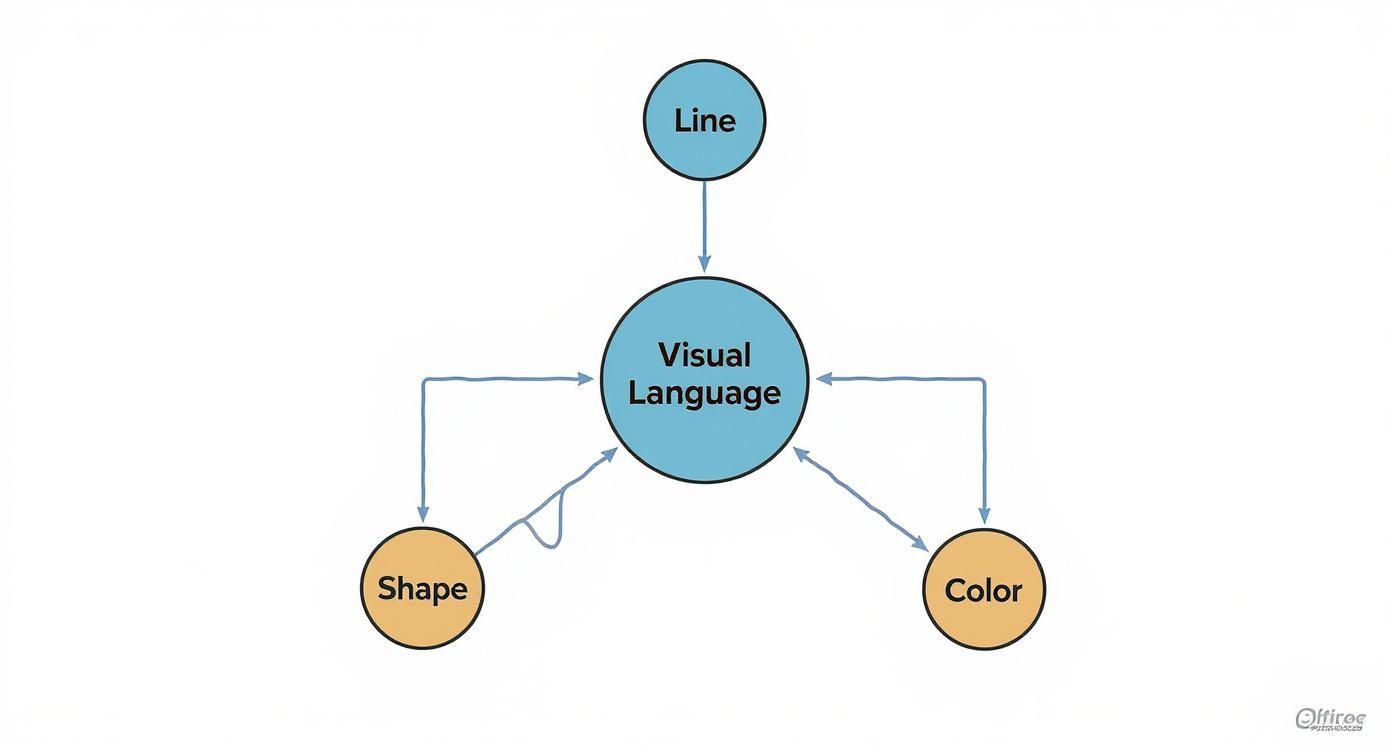
As you can see, the fundamental elements form a broader visual language, which we then organize using these design patterns.
Rhythm: The Musical Beat of Design
In music, rhythm is the beat that carries you through a song, creating a sense of flow. In visual design, it works the exact same way. Rhythm is all about using repeating elements to create a predictable, organized path for the eye to follow.
Without rhythm, a design can feel static and disjointed. It's what provides a sense of movement and energy, leading the viewer on a little journey from one part of the composition to another.
There are a few key types of visual rhythm:
- Regular Rhythm: Think of a steady drum beat. This is created by repeating identical elements at predictable intervals, like the simple grid of icons on your phone screen.
- Flowing Rhythm: This type uses curved, organic shapes and lines to create a sense of natural movement—picture the gentle waves of the ocean or the swirling patterns in wood grain.
- Progressive Rhythm: Here, an element changes gradually as it repeats. This builds a sense of progression or energy. A classic example is a series of shapes that slowly get larger or shift in color.
Balance: The Quest for Visual Stability
Every single element in your design has a certain "visual weight" that's determined by its size, color, and placement. Balance is simply the art of distributing that weight to create a feeling of stability. An unbalanced design feels chaotic and unsettling, almost like it's about to tip over.
Balance isn't about making everything identical; it's about achieving a state of visual equilibrium. A well-balanced design feels grounded, complete, and psychologically satisfying to the viewer.
There are two main ways to achieve this stability:
- Symmetrical Balance: This is the most straightforward method. You arrange elements equally on either side of a central line, creating a mirror image. Symmetrical balance feels formal, orderly, and calm. You'll see it everywhere, from classical architecture and corporate logos to formal wedding invitations.
- Asymmetrical Balance: This approach is a bit more dynamic and often more interesting. Instead of mirroring elements, you use objects of different visual weights to counterbalance each other. For instance, a single large, dark shape on one side can be balanced by several smaller, lighter shapes on the other. Asymmetrical balance feels more modern, active, and casual.
Contrast: The Art of Making Things Pop
If rhythm creates flow and balance creates stability, then contrast is what brings the excitement and focus. Contrast is simply placing different elements next to each other to highlight their differences. It's the secret ingredient that makes a design stand out and grab someone's attention.
A design without enough contrast can feel monotonous, flat, and hard to understand. The good news is you can create contrast with any of the visual elements we've talked about.
Here are a few common ways to apply it:
- Color Contrast: Pairing light colors with dark ones, or warm colors with cool colors.
- Size Contrast: Placing large elements next to small ones to establish a clear visual hierarchy.
- Shape Contrast: Combining sharp, geometric shapes with soft, organic ones.
- Textural Contrast: Using a rough texture right next to a smooth one.
A well-placed point of contrast is the single most effective way to create a focal point, drawing the eye directly to the most important part of your message.
Repetition: The Key to Unity and Consistency
Finally, there’s repetition—the simple act of using the same or similar elements throughout a design. While it’s the foundation for rhythm, repetition also serves a broader purpose: it creates unity and reinforces a design’s overall theme.
By repeating things like colors, shapes, or fonts, you build a sense of familiarity and consistency that ties the whole piece together. It makes the design feel cohesive and intentional. In branding, for example, repetition is absolutely crucial for building a recognizable identity.
Interestingly, we're seeing these patterns evolve on a global scale. The rise of new global art hubs around 2025 has reshaped art design patterns and market flows, contributing to a much broader range of artistic styles. Cities like Milan, Dubai, and Lagos are now influential centers with unique cultural ecosystems that inspire new design patterns, challenging old norms and fostering a more inclusive art world. You can discover more insights about these art market trends on auroraathena.com. This shift shows just how fundamental patterns can be reinterpreted in exciting new ways across different cultures.
How Timeless Patterns Shape Modern Digital Design
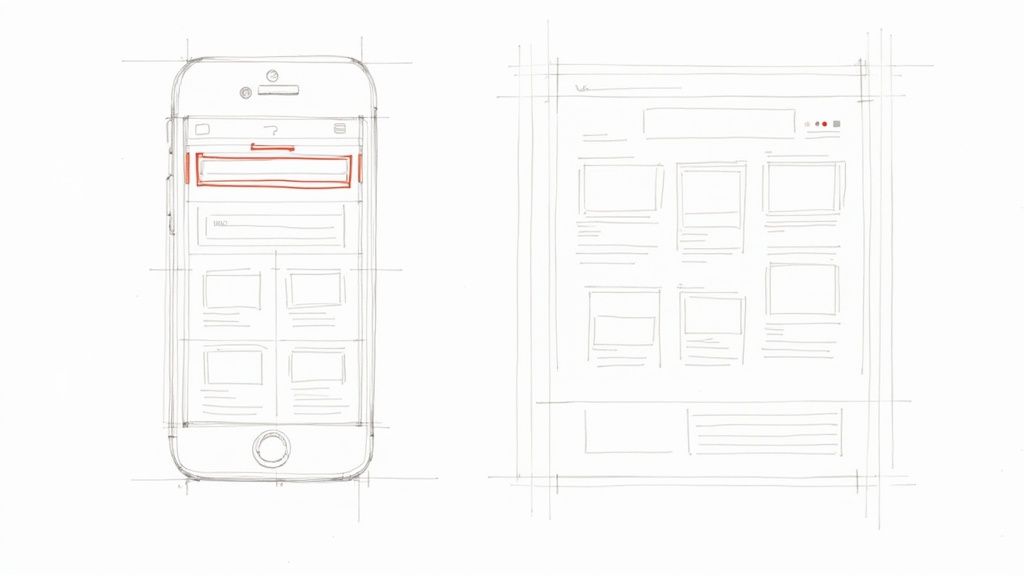
It might seem like the principles of classical art and the slick interfaces on your phone are worlds apart, but they’re more connected than you think. In fact, those timeless art design patterns that guided painters for centuries are the very same ones that make an app feel intuitive or a website a breeze to navigate.
Great digital design isn't just about clean code; it's about thoughtful composition. When you look at a well-designed user interface (UI), you're seeing a masterclass in balance, rhythm, and contrast. These aren't just fluffy artistic terms—they are functional tools that create order, guide our attention, and make technology feel effortless.
Repetition: The Bedrock of Usability
In digital design, repetition is your best friend for creating an intuitive user experience. Just as repeating a color unifies a painting, repeating UI elements creates a predictable environment that users can learn instantly.
Think about the apps you use every single day.
- An "X" icon almost always means "close."
- A gear icon universally signals "settings."
- Underlined blue text is instantly recognizable as a clickable link.
This consistency dramatically reduces a user's cognitive load. They don't have to relearn what every button does on every new screen. This simple pattern is so fundamental that it forms the backbone of entire design frameworks. As you can explore in our guide on what a design system is, this principle is scaled across entire products to ensure a seamless and cohesive experience.
Balance: Creating Clean and Organized Layouts
Visual balance is what makes a webpage feel stable and organized instead of chaotic and overwhelming. A well-balanced layout distributes elements in a way that feels natural and easy for our eyes to process. This isn't just about looking pretty; it directly impacts how users perceive and interact with your content.
Symmetrical balance, often seen on landing pages with centered headlines, creates a sense of formality and order. Asymmetrical balance, however, is far more common and dynamic. Picture a standard blog layout: a large block of content on one side is balanced by a smaller navigation sidebar on the other. It feels perfectly stable, yet visually interesting.
In UI design, balance is about creating visual equilibrium so that no single part of the screen overwhelms the others. This ensures users can scan information efficiently without feeling visual fatigue.
Contrast: Directing Attention with Purpose
Contrast is the digital designer’s megaphone. It’s how they make important elements stand out and shout, "Look at me!" In a world of infinite scrolling and short attention spans, effective contrast is what separates a missed opportunity from a successful conversion.
It's the very reason a "Buy Now" button is often bright orange or green—it creates a powerful focal point against a more muted background.
You can create contrast in a few key ways:
- Color: A vibrant call-to-action button on a neutral background.
- Size: A large, bold headline that grabs attention over smaller body text.
- Typography: Using a different font weight or style for key information.
Without enough contrast, an interface becomes a flat, monotonous landscape where everything competes for attention and nothing wins.
Rhythm: Guiding the User's Journey
Finally, let's talk about visual rhythm. This is the invisible hand that guides a user's eye seamlessly through a digital experience. It's the flow created by repeating and varying elements in a predictable sequence.
A perfect example is the product grid on an e-commerce site like Amazon. The consistent spacing, image size, and text layout create a steady, scannable rhythm. This flow makes it easy for you to browse dozens of items without feeling lost.
But what happens when an item goes on sale? A brightly colored "Sale" tag intentionally breaks that rhythm. This disruption acts like a cymbal crash in a song, instantly drawing your attention to that specific product. By mastering both the creation of a steady rhythm and the strategic moments to break it, designers can control the user's journey from start to finish.
Take a look at how these classic principles directly translate into the modern digital world.
Classic Patterns in Modern UI Applications
| Art Design Pattern | Classic Art Example | Modern UI Application |
|---|---|---|
| Symmetrical Balance | The geometric perfection of a cathedral's facade, creating stability. | A centered logo and navigation bar on a website's homepage. |
| Asymmetrical Balance | Van Gogh's Starry Night, where the large dark tree is balanced by the bright moon. | A webpage with a large hero image on the left and smaller text/CTA on the right. |
| Repetition | The repeating arches in a Roman aqueduct, creating unity and scale. | The consistent use of the same icon for "Add to Cart" across an e-commerce site. |
| Contrast | Caravaggio's use of intense light and dark (chiaroscuro) to highlight a subject. | A bright orange "Sign Up" button on a dark grey background. |
| Rhythm | The flowing, repeated patterns in the background of a William Morris wallpaper design. | An infinitely scrolling social media feed with consistently formatted posts. |
As you can see, the core ideas that made classical art compelling are the very same ones that make our digital tools usable and even enjoyable today. They are truly timeless.
How Global and Cultural Trends Reshape Design
https://www.youtube.com/embed/ssCtCi-Y9Bw
Art design patterns aren't created in a vacuum. Think of them as a living language, constantly evolving to mirror the world around us. As society changes, so do our visual tastes, keeping design in a perpetual state of flux. The patterns we use absorb everything—cultural movements, economic pressures, and new technologies—to make sure visual communication stays fresh and effective.
What looks modern and exciting today is almost always a reaction to yesterday’s trends, guided by new values and a different way of seeing things. Take the growing demand for authenticity and sustainability. This has led to a surge in patterns that lean into natural textures, earthy color palettes, and a handcrafted feel. These aren't just stylistic choices; they're visual echoes of a much larger conversation about how we relate to our environment and mass-produced goods.
The Influence of Market Dynamics
Economic tides have a surprisingly big impact on which art design patterns catch on and which fade away. As the art market opens up and becomes less exclusive, we're seeing a clear shift away from aesthetics that were once reserved for the high-end, traditional art world. This democratization is making room for a much broader range of visual styles to find an audience.
The global art market has been on a wild ride, with sales hitting a peak of USD 67.8 billion in 2022 before settling. During that time, something interesting happened: artworks in the lower and middle tiers started gaining serious traction, showing that collector tastes were diversifying. By 2024, the number of transactions worldwide had climbed by 3% to 40.5 million, a sign that more people from all walks of life were getting involved. This trend is pushing art design patterns toward more accessible and varied forms. You can dive deeper into the numbers in this detailed art market analysis from UBS.
Cultural trends are like ocean currents, and art design patterns are the waves they create. By observing these currents, designers can anticipate the visual language that will resonate most deeply with their audience.
This shift means that patterns once considered niche are now popping up in the mainstream. Designers are pulling inspiration from a wider, more diverse pool of cultural references, which is making our visual world—from branding to social media—a much richer place.
Digital Natives and the New Visual Language
The preferences of younger audiences who grew up online are a huge driver of change. For them, interactive media is the norm, and their expectations for visual engagement are completely different from previous generations. This has put the adoption of bold, dynamic, and interactive art design patterns on the fast track.
Here are a few key shifts being driven by these digital-first audiences:
- Emphasis on Motion and Animation: Static visuals just don't cut it anymore. Designs now often feature subtle animations and micro-interactions that make digital experiences feel responsive and alive.
- Bold Typography and Color: To stand out on a crowded screen, designers are turning to high-contrast color palettes and expressive typography that grab your attention instantly.
- Authenticity Over Polish: There's a real hunger for patterns that feel genuine. This means embracing imperfect textures, candid-style imagery, and looks that push back against that overly polished, corporate feel.
These trends point to a visual culture that's more about participation and expression. The patterns that really connect are the ones that don't just get noticed, but invite you to engage. As global and cultural forces continue to mix, the design world will keep cooking up exciting new patterns that show us who we are right now.
Common Questions About Art Design Patterns
As you get deeper into art design patterns, a few questions tend to pop up again and again. Getting a handle on these is key to moving from just knowing the theory to actually using it with confidence. Let's clear up some of the most common ones.
Design Patterns vs. Design Principles
What’s the real difference between a design pattern and a design principle? This is a great question because it cuts right to the core of how designers think. The easiest way to think about it is like cooking: a principle is a fundamental truth, while a pattern is a specific recipe.
A principle is the 'what'—the core idea, like balance or contrast. A pattern is the 'how'—a specific, repeatable solution for putting that principle into action. The principle is your goal; the pattern is your strategy.
For example, "balance" is a universal design principle. A symmetrical layout, where you mirror elements on either side of a central line, is a specific pattern you can use to achieve that balanced feel.
Can You Mix and Match Patterns?
Is it okay to use more than one design pattern in a single composition? Not only is it okay, but the best designs almost always do. A powerful composition is like a great song—it uses multiple instruments and melodies that all work together to create one cohesive experience.
You might use a repetition pattern to create a steady rhythm and then break it with a sharp contrast pattern to create an unmissable focal point. The real art is in making sure these patterns serve a single, unified purpose instead of fighting each other for the viewer's attention.
How to Start Seeing Patterns Everywhere
So, what's the best way to get good at spotting these patterns out in the wild? The trick is to shift from being a passive consumer to an active observer. You have to train your eye to look for the structure.
The next time you’re on a website, using an app, or even just looking at a movie poster, consciously ask yourself a few questions:
- What did I look at first? Why? This helps you pinpoint how the designer used contrast or emphasis to create a focal point.
- What elements are repeated? This uncovers repetition patterns that create unity and rhythm.
- Does it feel stable and orderly, or dynamic and tense? This is how you start recognizing symmetrical vs. asymmetrical balance.
Get in the habit of screenshotting designs you like and trying to name the art design patterns you see. It feels a bit like homework at first, but this kind of active analysis is the fastest way to build an intuition you can bring into your own work.
Tired of endlessly searching for the perfect icon to fit your design system? VibeIcons uses AI to generate high-quality, style-consistent icons in seconds, helping you maintain visual harmony and speed up your workflow. Create your first five icons for free and see the difference at https://www.vibe-icons.com.